

Overview
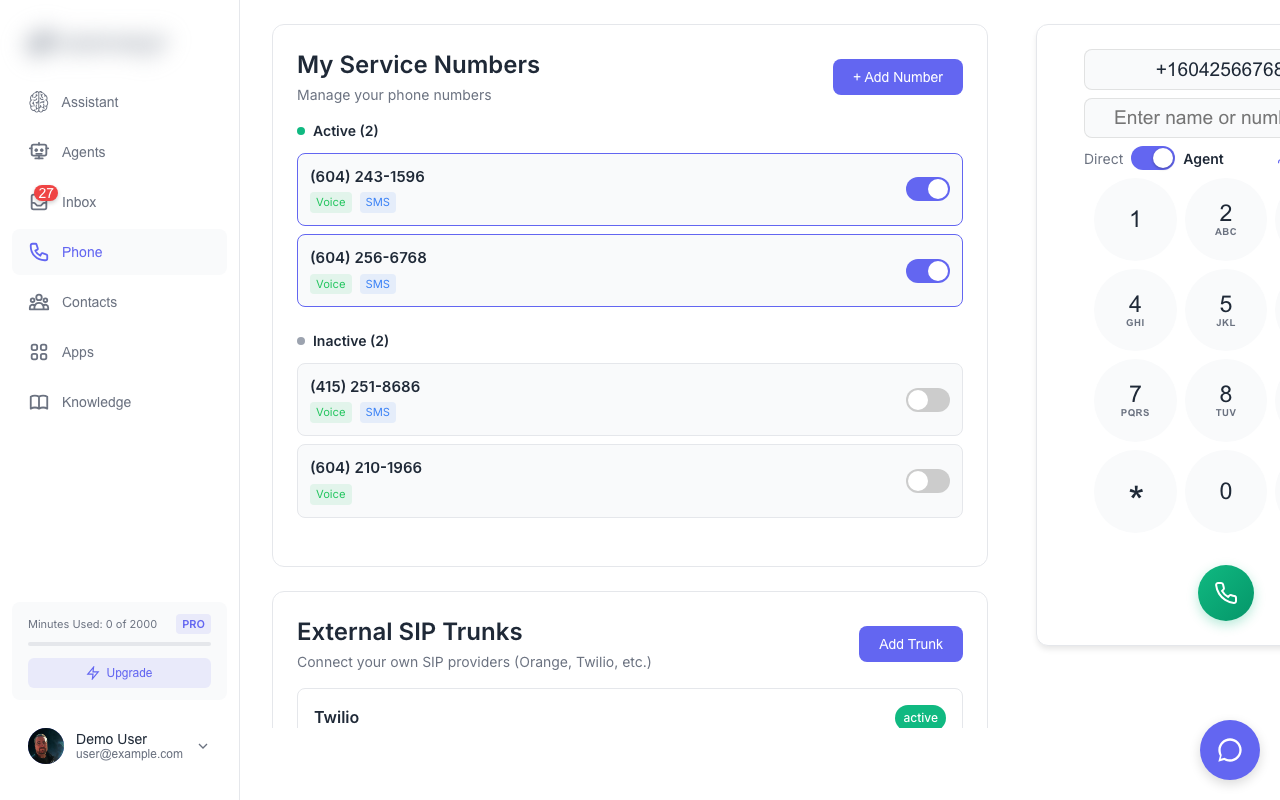
Phone numbers are how your AI agents connect to the real world. Provision local or toll-free numbers and assign them to agents to handle calls and SMS.Getting a Number
Search for Numbers
Click Add Number and search by:
- Area code (e.g., 604, 415)
- City name (e.g., Vancouver, San Francisco)
Number Types
Local Numbers
- Standard geographic phone numbers
- Familiar area codes for your region
- Best for local business presence
Toll-Free Numbers
- 800, 888, 877, 866, 855, 844 prefixes
- Free for callers to dial
- Professional nationwide presence
Number Settings
| Setting | Description |
|---|---|
| Friendly Name | A label for the number (e.g., “Main Line”) |
| Assigned Agent | The AI agent that handles calls |
| Call Recording | Enable/disable call recording |
| Voicemail | Configure voicemail when agent is unavailable |
Call Handling
When someone calls your number:- Agent Answers - Your AI agent picks up and delivers the greeting
- Conversation - Agent responds naturally based on its system prompt
- Actions - Agent can transfer calls, book appointments, or take messages
- Recording - Call is recorded and transcribed (if enabled)
- Inbox - Call appears in your inbox with transcript
SMS Handling
Numbers can also receive and send SMS:- Inbound texts are handled by the assigned agent
- Agent responds based on conversation context
- View all message threads in the Inbox
External SIP Trunks
For advanced users, you can connect your own SIP trunk:- Go to Numbers → External Trunk
- Enter your SIP server details
- Configure authentication
- Route calls through your existing telephony
External SIP trunks require technical knowledge of SIP/VoIP configuration.