

Overview
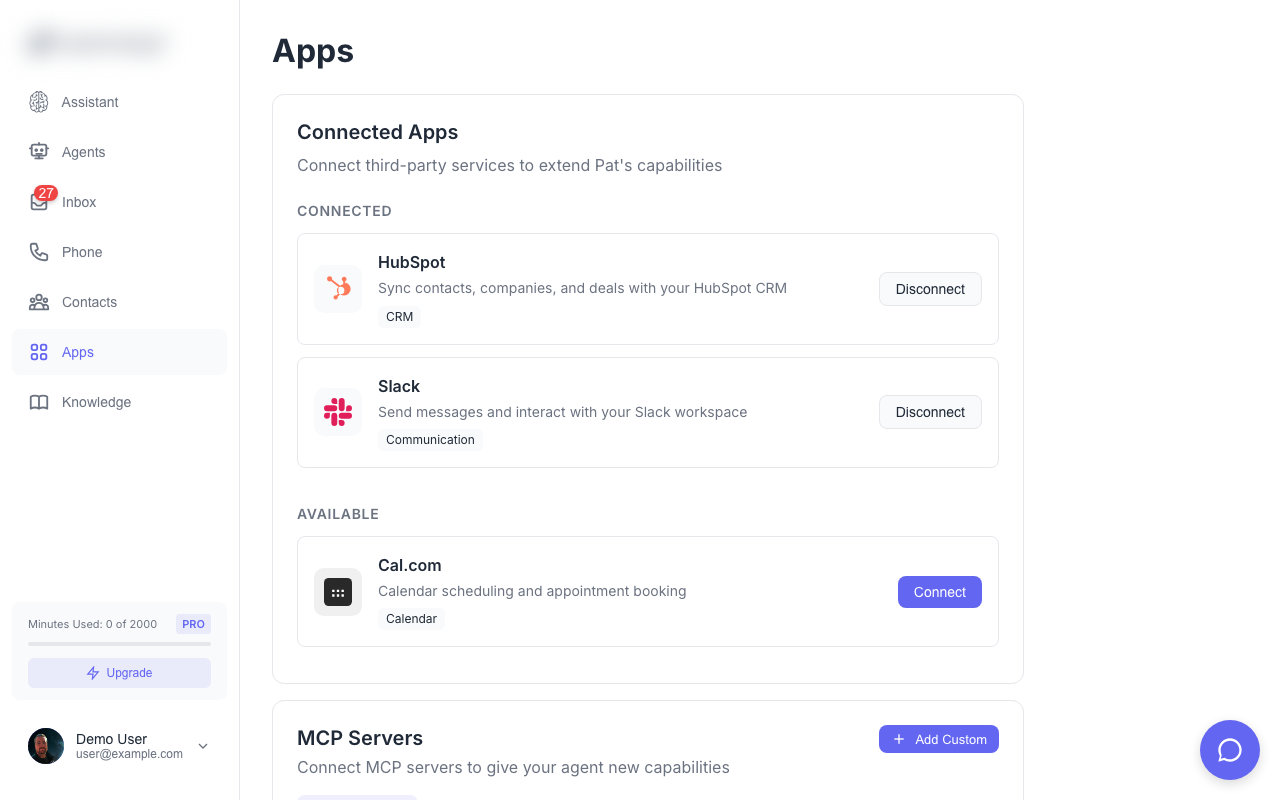
Integrations let your AI agents work with external services. Sync contacts, book appointments, and automate workflows.Available Integrations
HubSpot
Sync contacts and companies with HubSpot CRM. Features:- Import contacts from HubSpot
- Create new contacts when unknown callers call
- Log calls and messages to contact timeline
- Sync company information
- Go to Apps in the main navigation
- Find HubSpot and click Connect
- Authorize Solo Mobile in HubSpot
- Select which data to sync
Slack
Send messages and interact with your Slack workspace. Features:- Send notifications to Slack channels
- Receive alerts for calls and messages
- Integrate with your team workflows
- Go to Apps in the main navigation
- Find Slack and click Connect
- Authorize Solo Mobile in Slack
- Select which channels to use
Cal.com
Calendar scheduling and appointment booking. Features:- Check your calendar for availability
- Book appointments during calls
- Send calendar invites to callers
- Respect busy times and working hours
- Go to Apps in the main navigation
- Find Cal.com and click Connect
- Sign in with your Cal.com account
- Grant calendar access
MCP Servers (Advanced)
Connect to Model Context Protocol servers for custom tool access. Features:- Add custom tools for your agents
- Connect to internal APIs
- Extend agent capabilities
- Go to Apps in the main navigation
- Click Add MCP Server
- Enter the server URL
- Configure available tools
MCP servers require technical setup. See the MCP documentation for details.
Integration Settings
Each integration can be configured per-agent:- Open the agent you want to configure
- Go to the Integrations tab
- Enable/disable specific integrations
- Configure integration-specific settings
Data Privacy
- Solo Mobile only accesses data you explicitly authorize
- You can disconnect integrations at any time
- Disconnecting removes Solo Mobile’s access to that service