

Overview
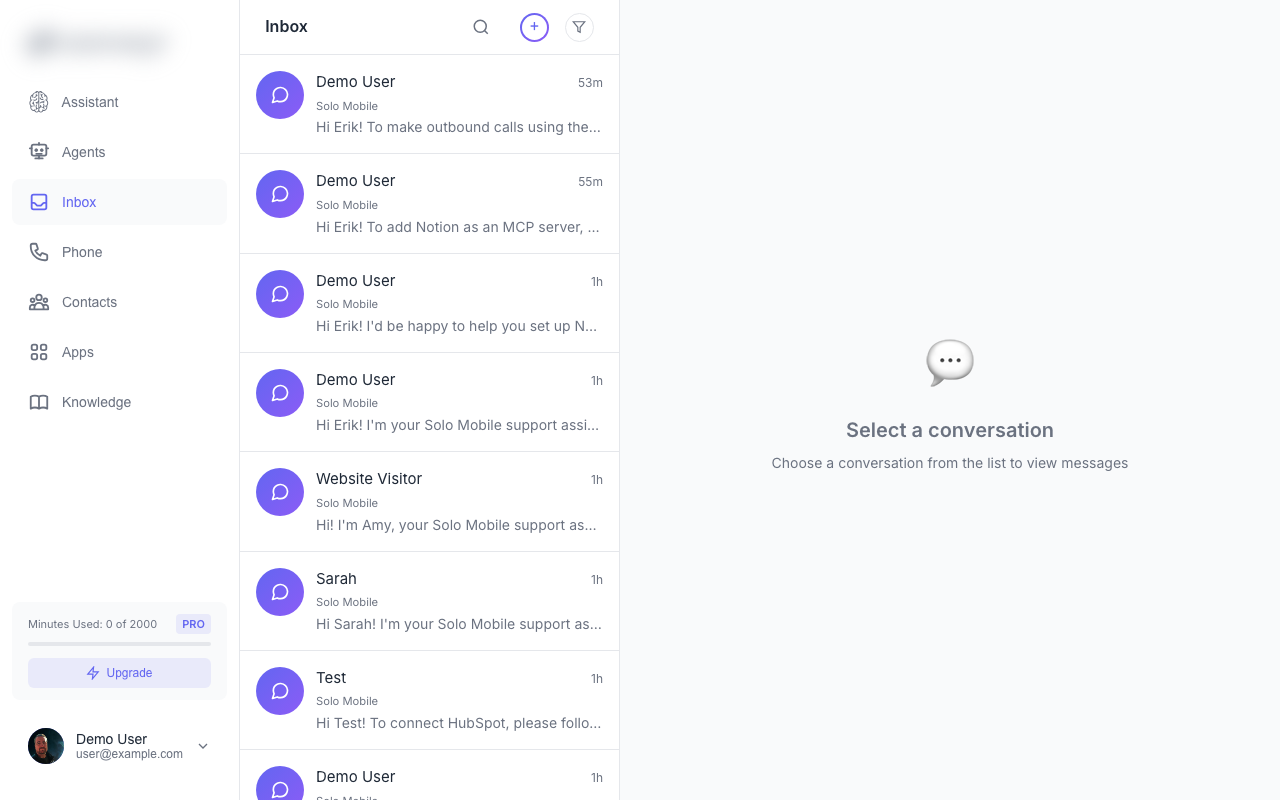
The Inbox is your unified view of all communications. See calls, SMS messages, and chat conversations in one place.Conversation List
The inbox shows all conversations sorted by most recent activity:- Phone icon - Voice calls
- Message icon - SMS conversations
- Chat icon - Website chat sessions
- Contact name or phone number
- Preview of last message
- Time of last activity
- Unread indicator (blue dot)
Filtering
Filter conversations by type:| Filter | Shows |
|---|---|
| All | All conversation types |
| Calls | Voice calls only |
| Texts | SMS conversations only |
| Chat | Website chat sessions only |
Conversation Detail
Click a conversation to see the full thread:For Calls
- Recording player - Listen to the call audio
- Transcript - Full AI-generated transcript
- Duration - Call length
- Status - Answered, missed, voicemail
For SMS/Chat
- Message thread - Full conversation history
- Reply box - Send a manual response
- AI indicator - Shows which messages were AI-generated
Replying Manually
You can take over any conversation:- Open the conversation
- Type your message in the reply box
- Send your response
- The AI agent pauses for that conversation
- Your message is sent immediately
- AI resumes after a period of inactivity
Unread Badges
The inbox icon shows a count of unread conversations. A conversation is marked as read when you open it.Search
Use the search bar to find conversations by:- Phone number
- Contact name
- Message content